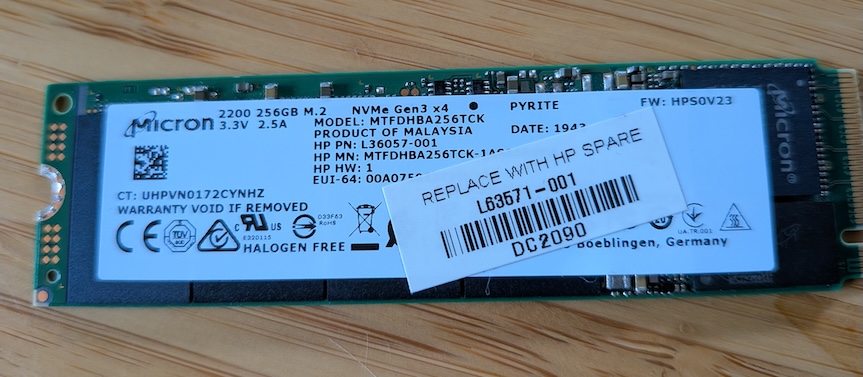
I woke up one morning to notice that this blog, my AdGuard, and everything else hosted on Proxmox was offline. Thankfully the AdGuard sync was working great and the secondary instance was handling all of the traffic as expected.
The Proxmox UI was unresponsive. The power was on on the server but I hard rebooted it to see what would happen.
It came up fine and I started digging into the logs to figure out what had happened.
The proxmox logs didn’t have anything particularly interesting. But the kernal logs were very helpful:
  Apr 12 23:27:43 pve kernel: nvme 0000:02:00.0: PCIe Bus Error: severity=Correctable, type=Physical Layer,
  (Receiver ID)
  Apr 12 23:27:43 pve kernel: nvme 0000:02:00.0:    [ 6] BadTLP
  Apr 13 00:26:19 pve kernel: nvme 0000:02:00.0: PCIe Bus Error: severity=Correctable, type=Physical Layer,
  (Receiver ID)
PCIe errors on the SSD! BadTLP (corrupted PCIe packets) and RxErr
(physical layer receive errors). These are signal integrity failures between the SSD and the motherboard.
So either the motherboard was failing or the SSD was failing. This was a cheap PC from a secondhand store in Eugene, OR. so my money (literally and figuratively) was on the SSD.
I tried a few different troubleshooting things first. I installed nvme-cli and ran nvme smart-log /dev/nvme0:
power_cycles: 2901 vs power_on_hours: 2817 — nearly 1 power cycle per hour, indicating the drive had been
causing crashes for a long time

media_errors: 0 — no data corruption yet (lucky)

available_spare: 100% — drive not worn out

num_err_log_entries: 2809 — extremely high

unsafe_shutdowns: 95 — 95 prior crashes/power losses
I powered off, reseated the drive, and powered back on to see if that would help. Error started back within 6 seconds of powering the PC back on.
Given the current harddrive price nightmare we’re living through I was apprehensive about buying a new SSD. But for a small homelab PC like this that only had 256GB to start with, I was able to find a replacement for $60.00 USD.
While I waited for it to arrive I backed up all of my VMs and containers to my NAS with vzdump. It was extremely painless.
I seated the new drive, reinstalled Proxmox, and restored my VMs and containers from the backups. It was extremely simple and I was back up in less than an hour.
What I wish I would have done was actually back up the Proxmox settings themselves. The cron jobs I had set to upgrade LXCs & the configurations around VLAN tagging for the bridge were gone and that took me a while to remember how I had set up to start with.
But once that was fixed, I was all set up and back in action.